


아이폰에 애플 인텔리전스가 안 보이면 기기, 언어 설정, 저장 공간 세 가지를 먼저 봅니다.
iOS 27 기준으로 아이폰 16 이후 모델과 아이폰 15 Pro·Pro Max, 아이폰 Air에서 쓸 수 있고, 기기 언어와 Siri 언어가 같은 지원 언어로 맞춰져 있어야 합니다. ChatGPT 연결은 설정에서 따로 켜야 합니다.
네이버 지식iN에서 '아이폰 AI'로 검색되는 질문이 10월 5일 기준 1만9천 건이 넘고, '애플 인텔리전스'는 840건입니다.
내 아이폰에서 안 보인다면
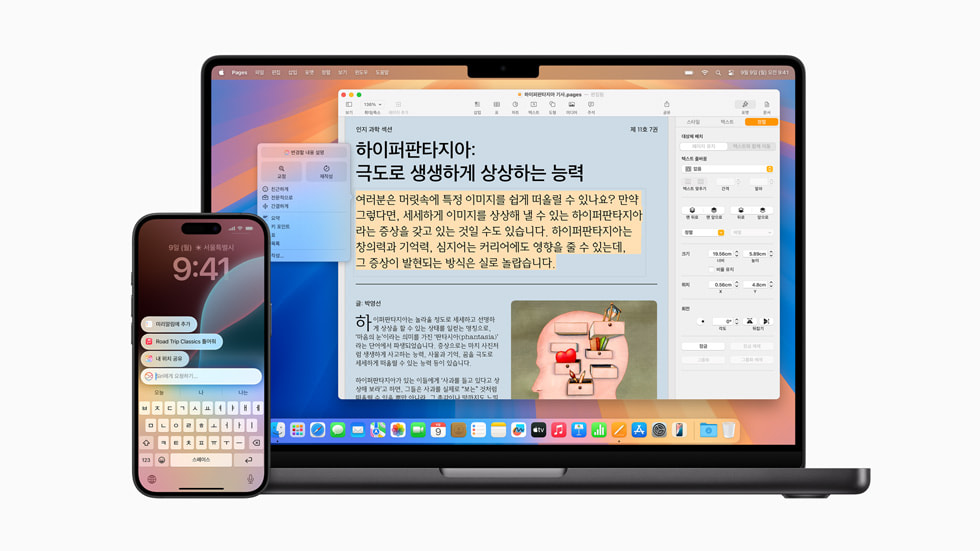
한국어는 2025년 4월 1일 iOS 18.4부터 지원됩니다. 애플은 그날 한국어를 비롯한 8개 언어로 기능을 넓힌다고 발표했습니다.
지금은 iOS 27 기준입니다. 애플 지원 문서는 아이폰 16 이후 모델, 아이폰 15 Pro, 아이폰 15 Pro Max, 아이폰 Air를 대상 기기로 적었습니다. 그보다 앞선 아이폰은 목록에 없습니다.
언어 설정
기기 언어와 Siri 언어가 지원되는 같은 언어로 설정돼 있어야 합니다. Siri 언어를 바꾸면 새 언어가 완전히 내려받아지고 기기 언어와 맞을 때까지 쓰지 못할 수 있다고 애플은 적었습니다.
저장 공간
기기에 최대 8GB의 저장 공간이 필요합니다. 아이폰 17 Pro·17 Pro Max·아이폰 Air처럼 메모리가 큰 일부 모델은 최대 14GB입니다. 저장 공간이 모자라면 먼저 비워야 합니다.
다른 지역으로 여행을 가도 애플 인텔리전스는 계속 쓸 수 있다는 안내도 있습니다.
무엇이 되고, 얼마나 쓸 수 있나

한국어로 쓸 수 있는 기능 가운데 실용적인 것은 이렇습니다. 메시지와 전화·FaceTime의 실시간 번역, 음성 사서함 요약, 메모 전사문 요약이 한국어를 지원합니다.
모든 기능이 한국어로 되는 것은 아닙니다. Mail 앱의 제안과 메시지 앱의 개인 맞춤형 스마트 답장은 영어로만 제공된다고 지원 문서는 적었습니다.
사용량에도 한도가 있습니다. 서버 모델을 쓰는 Siri AI, 지능형 사진 편집 도구, Image Playground 같은 기능에는 하루 사용량 제한이 붙습니다.
제한은 기능과 요청의 복잡성, 시스템 수요에 따라 달라집니다. 애플은 사용 범위를 넓히는 유료 옵션을 앞으로 내놓을 예정이라고 밝혔습니다.
ChatGPT를 켜고, 기능을 끄려면
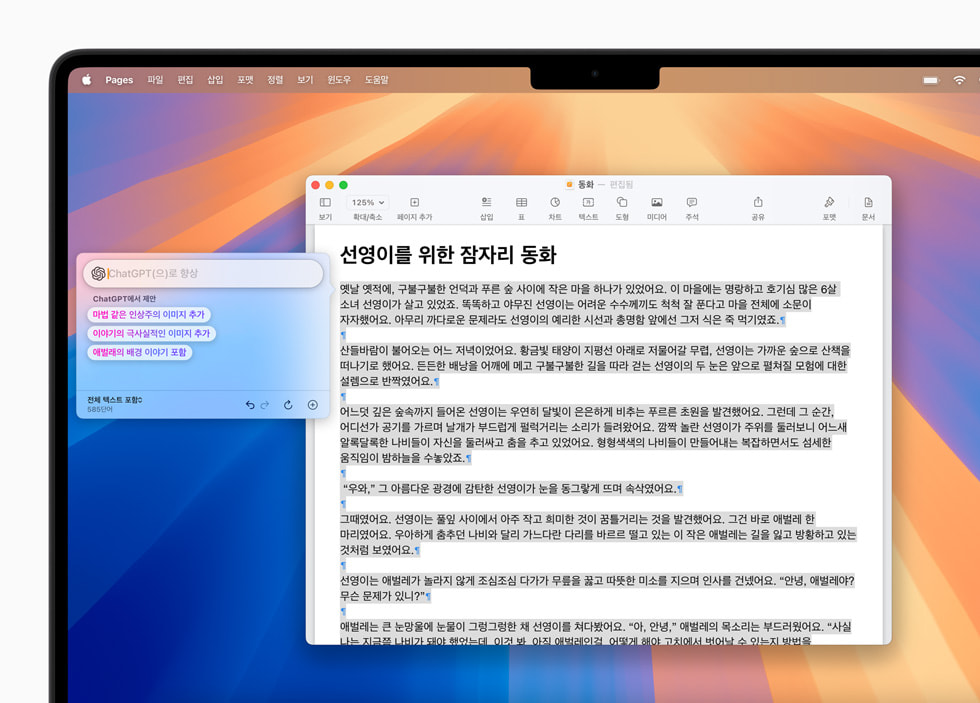
ChatGPT 연결은 설정 → Siri → ChatGPT에서 켭니다. ChatGPT 계정으로 로그인할지 고를 수 있고, 요청을 ChatGPT 채팅 기록에 남기려면 로그인해야 합니다.
안 된다면 조건부터 봅니다. ChatGPT 확장은 ChatGPT 앱과 서비스가 지원되는 지역에서만 쓸 수 있고, 13세 또는 해당 국가가 정한 최소 연령 이상이어야 합니다.
어떤 정보가 넘어갈까요?
요청과 첨부 파일, 그리고 시간대·국가·기기 유형·언어 같은 제한된 정보가 ChatGPT로 갑니다. IP 주소는 공개되지 않지만 일반적인 위치는 제공된다고 애플은 적었습니다. 계정 없이 쓰면 OpenAI는 애플 계정 정보를 받지 않습니다.
기능을 끄는 스위치는 하나가 아니라 기능별로 있습니다. 설정에서 메시지 요약, Mail의 '메시지 미리보기 요약', 알림 요약, 최우선 알림을 각각 끕니다. ChatGPT는 설정 → Siri → ChatGPT에서 'ChatGPT 사용'을 끄면 됩니다.
결국 확인할 것은 셋입니다. 기기와 iOS 버전, 기기·Siri 언어, 저장 공간.
If Apple Intelligence doesn't show up on your iPhone, check three things first: the device, the language settings and storage.
As of iOS 27 it runs on iPhone 16 models and later, iPhone 15 Pro and Pro Max, and iPhone Air, and the device and Siri languages must be set to the same supported language. The ChatGPT connection has to be turned on separately in Settings.
On Naver's Q&A service, a search for 'iPhone AI' returns more than 19,000 questions as of October 5, and 'Apple Intelligence' 840.
If it doesn't show up on your iPhone
Korean has been supported since iOS 18.4 on April 1, 2025, when Apple announced eight new languages including Korean.
Today the baseline is iOS 27. Apple's support document lists iPhone 16 models and later, iPhone 15 Pro, iPhone 15 Pro Max and iPhone Air. Earlier iPhones are not on the list.
Language settings
The device language and Siri language must be set to the same supported language. If you change the Siri language, Apple says Apple Intelligence may be unavailable until the new language fully downloads and matches the device language.
Storage
Up to 8 GB of storage is needed on the device; some models with more memory, such as iPhone 17 Pro, 17 Pro Max and iPhone Air, need up to 14 GB. Free up space first if you are short.
Apple also notes it keeps working when you travel to other regions.
What works, and how much you can use it
Among the features available in Korean, the practical ones include live translation in Messages and in Phone and FaceTime, voicemail summaries and Notes transcript summaries.
Not everything works in Korean: suggestions in Mail and personalized smart replies in Messages are English only, the support document says.
Usage is capped too. Features that use server models, such as Siri AI, the intelligent photo editing tools and Image Playground, have daily limits.
Limits vary with the feature, request complexity and system demand. Apple says a paid option to expand usage is planned.
Turning on ChatGPT, and turning features off
Turn on ChatGPT under Settings > Siri > ChatGPT. You can choose whether to sign in with a ChatGPT account; signing in is required to save requests to your ChatGPT chat history.
If it doesn't work, check the conditions: the ChatGPT extension is available only where the ChatGPT app and service are, and you must be 13 or the minimum age required in your country.
What information is shared?
Your request and attachments, plus limited data such as time zone, country, device type and language, go to ChatGPT. Your IP address is hidden but your general location is provided, Apple says. Without an account, OpenAI receives no Apple Account information.
There is no single off switch - features are turned off one by one: Summarize Messages, Mail's Summarize Message Previews, Summarize Notifications and Prioritize Notifications in Settings. For ChatGPT, turn off 'Use ChatGPT' under Settings > Siri > ChatGPT.
In the end, check three things: device and iOS version, device and Siri language, storage.