AI 에 말로 시키는 방법은 두 가지인데, 이름이 비슷해 자주 섞입니다.
하나는 음성 대화입니다. 내가 말하면 AI 도 말로 답합니다. 다른 하나는 받아쓰기입니다. 내 말을 글자로 바꿔 입력창에 넣어주고, 답은 글로 옵니다.
클로드 도움말이 이 둘을 분명히 갈라 두었습니다. 받아쓰기는 말을 글로 바꿔 보내는 것이고, 음성 모드는 주고받는 대화라는 것입니다.
■ 챗GPT — 셋 중에 고른다
어떤 방식이 있을까요? 챗GPT 는 음성 대화를 세 가지로 나눠 두었습니다. 설정에서 음성으로 들어가면 고를 수 있습니다.
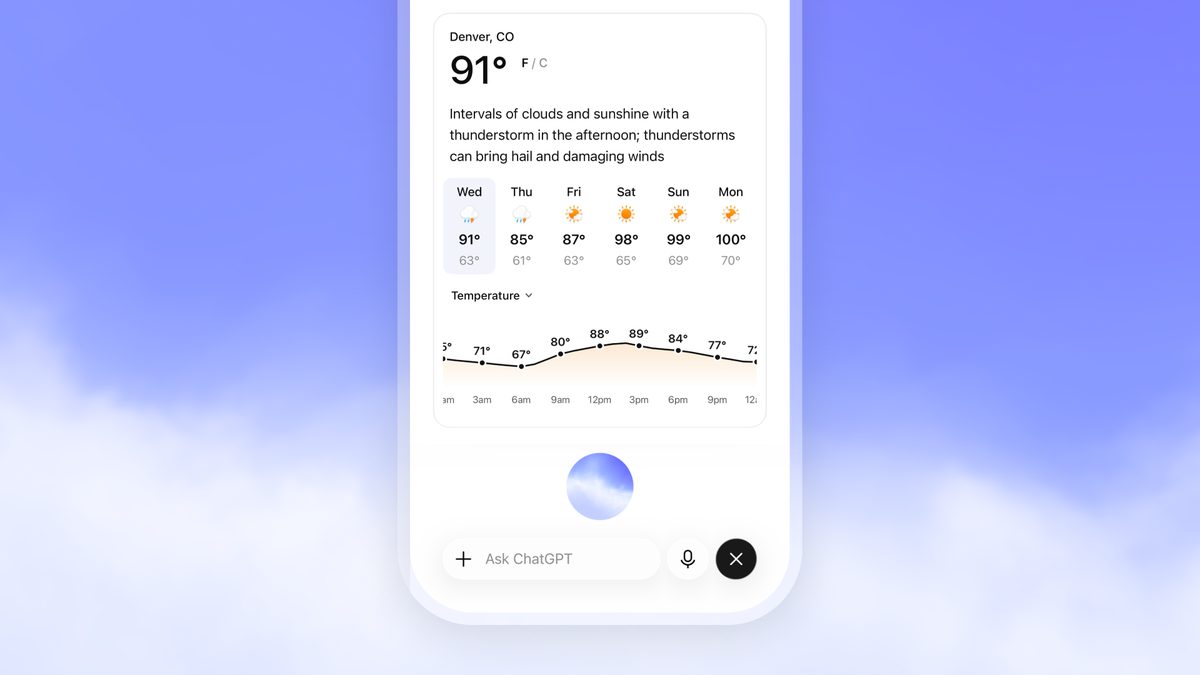
- Live — 듣기와 말하기를 동시에 해 끼어들기가 자연스럽습니다. 웹 검색과 메모리를 쓰고, 위젯으로 시각 결과도 보여줍니다
- Advanced — 이전의 실시간 방식입니다. 비디오나 화면 공유 같은 모바일 기능이 필요할 때 씁니다
- Standard — 턴을 주고받는 방식입니다. 말을 먼저 받아쓴 뒤 답을 만듭니다
Live 는 플랜에 따라 GPT-Live-1 또는 그 소형 모델로 돌아갑니다. 다만 처음에는 비디오와 화면 공유, 연결한 앱과 플러그인을 지원하지 않습니다. 그 기능이 필요하면 Advanced 를 고르라는 뜻입니다.
선택지가 다 보이지 않을 수도 있습니다. 플랜과 워크스페이스 설정, 지역, 앱 버전에 따라 달라지고, 부모와 연결된 청소년 계정이라면 자녀 보호 기능에서 음성 접근을 관리할 수 있습니다.
시간 표현에서 걸리는 대목이 하나 있습니다. 음성은 기기나 브라우저의 시간대를 기준으로 오늘과 내일 같은 말을 이해합니다. 답이 이상하면 시간대를 확인하거나 질문에 날짜와 위치를 직접 넣으라고 안내합니다.
■ 클로드 — 시끄러우면 버튼을 누른다
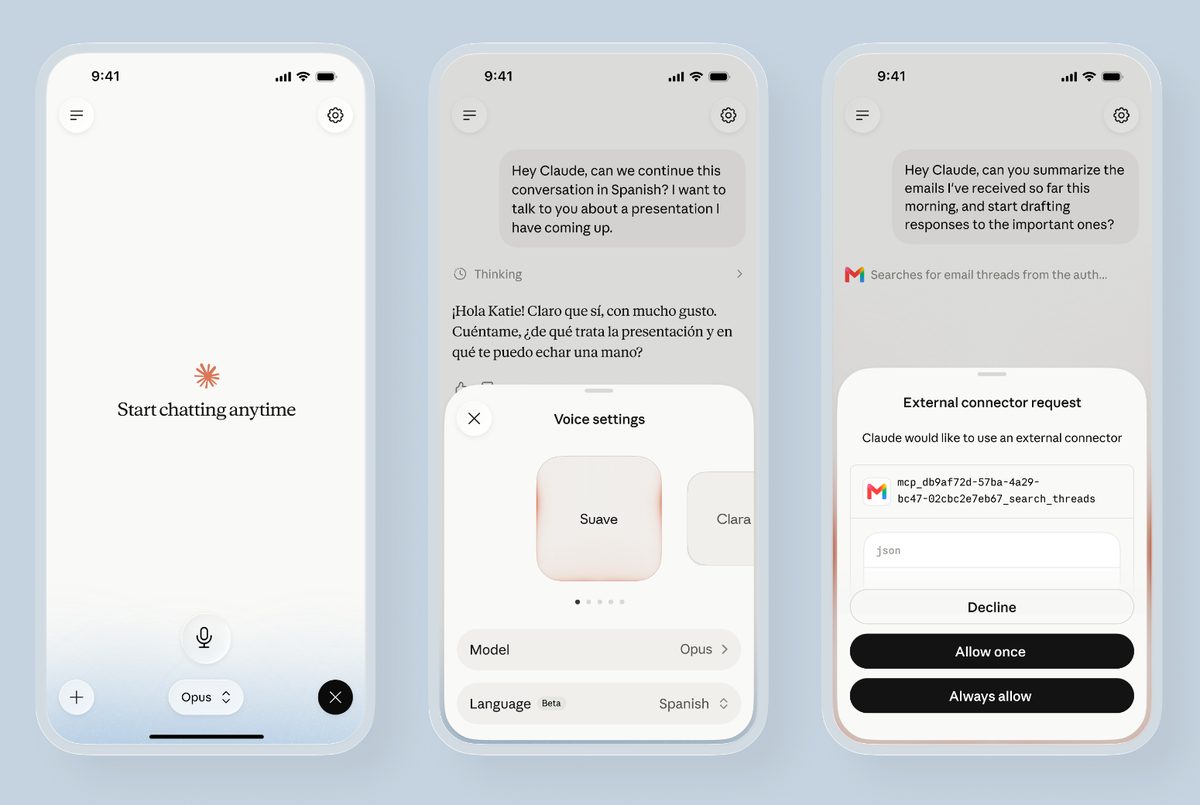
클로드 음성 모드는 베타이고 무료를 포함한 모든 플랜에서 쓸 수 있습니다. 모바일과 데스크톱, 웹에서 되지만 폰에서 가장 잘 되도록 만들었다고 밝혔습니다.
웹과 데스크톱에서는 대화창 오른쪽 아래의 음파 기호를 누르면 켜집니다. 말하면 입력창에 그대로 채워지고, 끄려면 같은 자리의 정지 버튼을 누릅니다.
여기서 다른 두 곳에 없는 구분이 나옵니다. 말하는 방식이 둘입니다.
- 핸즈프리 — 기본값입니다. 계속 듣고 있다가 말이 자연스럽게 멈추는 지점에서 답합니다. 조용한 곳에 맞습니다
- 푸시투토크 — 버튼을 누르고 말한 뒤 떼는 방식입니다. 길거리나 사람이 많은 곳처럼 소리가 섞이는 곳에 맞습니다
핸즈프리에서 클로드가 말을 자르면 그냥 다시 말하면 됩니다. 클로드가 멈추고 듣습니다.
비용도 알아둘 만합니다. 음성 대화도 구독 플랜의 사용량 한도에 그대로 들어갑니다. 말로 오래 나눈 대화도 결국 같은 한도.
받아쓰기는 별개입니다. iOS 와 안드로이드 앱에서만 되고, 영어가 아닌 언어는 아직 베타입니다. 입력창 오른쪽 마이크 아이콘을 누르면 되고, 처음이면 언어를 먼저 고릅니다.
■ 제미나이 — 목소리를 바꿀 수 있다
제미나이에는 다른 두 곳에 없는 것이 있습니다. AI 가 내는 목소리 자체를 고를 수 있습니다.
그러면 어디서 바꿀까요? 조건이 하나 붙습니다. 음성 설정은 제미나이 모바일 앱을 쓰는 경우에만 접근할 수 있습니다. 웹에서는 이 설정이 보이지 않습니다.
언어에 따라서도 갈립니다. 일부 언어에서는 목소리를 바꾸는 옵션 자체가 없고, 되는 언어라도 고를 수 있는 목소리 개수가 다릅니다.
고르는 자리는 이렇습니다. 모바일 앱에서 왼쪽 메뉴의 프로필 사진이나 이니셜을 누르고, 설정에서 제미나이의 음성으로 들어갑니다. 이름을 누르면 미리 들어볼 수 있고 확인을 누르면 적용됩니다.
한 번 고르면 전체 제미나이 앱 기능에 적용됩니다. Gemini Live 는 물론, 답변 옆의 듣기를 눌러 읽어줄 때도 그 목소리가 나옵니다.
■ 내 목소리는 어디로 가나
그러면 내가 말한 소리는 어떻게 될까요? 챗GPT 도움말이 가장 구체적입니다.
마이크로 녹음하면 그 소리가 모델로 보내져 글자로 바뀝니다. 돌아온 텍스트는 보내기 전에 고칠 수 있습니다.
오디오는 그 대화가 기록에 남아 있는 동안 보관됩니다. 대화를 지우면 딸린 오디오도 30일 안에 삭제됩니다. 보안이나 법적 이유가 있거나, 이미 모델 학습용으로 공유해 계정과 분리된 경우는 예외입니다.
학습에 쓰이는지도 선택에 달렸습니다. 소비자 사용자가 오디오 공유를 켜 두었다면 받아쓰기 오디오가 학습에 쓰일 수 있습니다. 비즈니스 사용자의 입력과 출력은 기본적으로 학습에 쓰지 않습니다.
끄는 자리는 데이터 제어입니다. 오디오 녹음 포함 토글을 끄거나, 모델 개선 자체를 끄면 됩니다. 이때 받아쓰기와 음성 대화의 오디오 공유가 함께 멈춘다는 점은 알아둘 만합니다.
세 가지 방식과 두 가지 말하기, 그리고 고를 수 있는 목소리. 같은 음성인데 손대는 자리가 서로 다릅니다.
There are two ways to use your voice with an AI, and the names are close enough to confuse.
One is a spoken conversation: you talk and the AI talks back. The other is dictation: your speech becomes text in the input box, and the reply comes as text.
Claude's help centre separates them plainly. Dictation turns speech into text so you can send a written prompt; voice mode is a full spoken conversation.
ChatGPT: pick one of three
What are the options? ChatGPT splits spoken conversation into three modes, selectable under Settings and then Voice.
- Live — listens and speaks at once, so interruptions feel natural. It can use web search and memory and show visual results through widgets
- Advanced — the previous real-time experience, for when you need mobile capabilities such as video or screen sharing
- Standard — turn by turn: it transcribes your speech first, then generates a response
Live runs on GPT-Live-1 or its smaller variant depending on your plan. It does not initially support video, screen sharing, connected apps or plugins — which is what Advanced is for.
You may not see every option. Availability depends on plan, workspace settings, region and app version, and for a linked teen account a parent can manage voice access through parental controls.
One thing catches people out on time. Voice uses your device or browser time zone to interpret words like today and tomorrow. If an answer looks off, check the time zone or put the exact date and location in the question.
Claude: hold a button when it is noisy
Claude's voice mode is a beta feature available on every plan including Free, across mobile, desktop and the web — though Anthropic says it is built to work best from your phone.
On the web and desktop, tap the sound wave symbol in the lower right corner of the chat window. What you say fills the input box, and the stop button in the same corner ends it.
Here is a distinction the other two do not make. There are two ways of speaking.
- Hands-free — the default. Claude listens continuously and answers at natural pauses. Best in a quiet room
- Push-to-talk — hold a button while speaking and release when done. Better on a busy street or in a crowded room
If Claude cuts in during hands-free, just start speaking again and it will stop and listen.
Cost is worth knowing too. Voice conversations count toward your plan's usage limits. A long spoken session, the same allowance.
Dictation is separate. It runs on the iOS and Android apps only, and languages other than English are still in beta. Tap the microphone on the right of the input field, choosing your language the first time.
Gemini: you can change the voice itself
Gemini has something the other two do not: you can choose the voice it speaks in.
So where do you change it? There is one condition: the voice setting is reachable only when using the Gemini mobile app - it does not appear on the web.
Language matters as well. Some languages have no option to change the voice at all, and where it exists the number of voices differs by language.
To choose one: in the mobile app, tap your profile picture or initials in the left menu, then Settings, then Gemini's voice. Tap a name to hear it and confirm to apply.
Once chosen it applies across all Gemini app features — Gemini Live, and also when you tap listen beside a response to have it read aloud.
Where your voice goes
So what happens to the audio you speak? OpenAI's guidance is the most specific.
When you record with the microphone, the audio is sent to the models to be transcribed. The text comes back and you can edit it before sending.
Audio is retained for as long as that chat is in your history. Delete the chat and the associated audio clip is deleted within 30 days — unless it must be kept for security or legal reasons, or you previously shared audio for training and the clip was already disassociated from your account.
Whether it trains on that audio depends on a choice. If a consumer user has opted to share audio, dictation audio may be used for training. For business users, inputs and outputs are not used for training by default.
The switch is in data controls. Turn off the toggle for including your audio recordings, or turn off model improvement entirely. Note that this stops audio sharing across both dictation and voice chat.
Three modes, two ways of speaking, and a voice you can choose. The same feature, with the dials in different places.